Cell configuration
Flux needs to know the exact position of the BendMaster relative to the machine zero-point, and also needs to know the extents of the robot linear movement track. Since these are critical parameters that should not be changed by mistake, Flux must be in admin mode before you can make these changes.
-
Start Flux in administrator mode by running the command
Flux.exe -admin. This displays a notification on the document tab, as shown below:

-
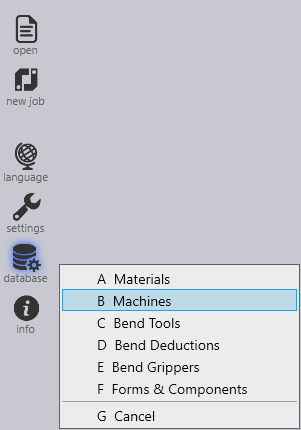
Install the required BendMaster machine using the Database → Machines option from the command bar on the left.
-
Open a simple part and tool it up for BendMaster.
-
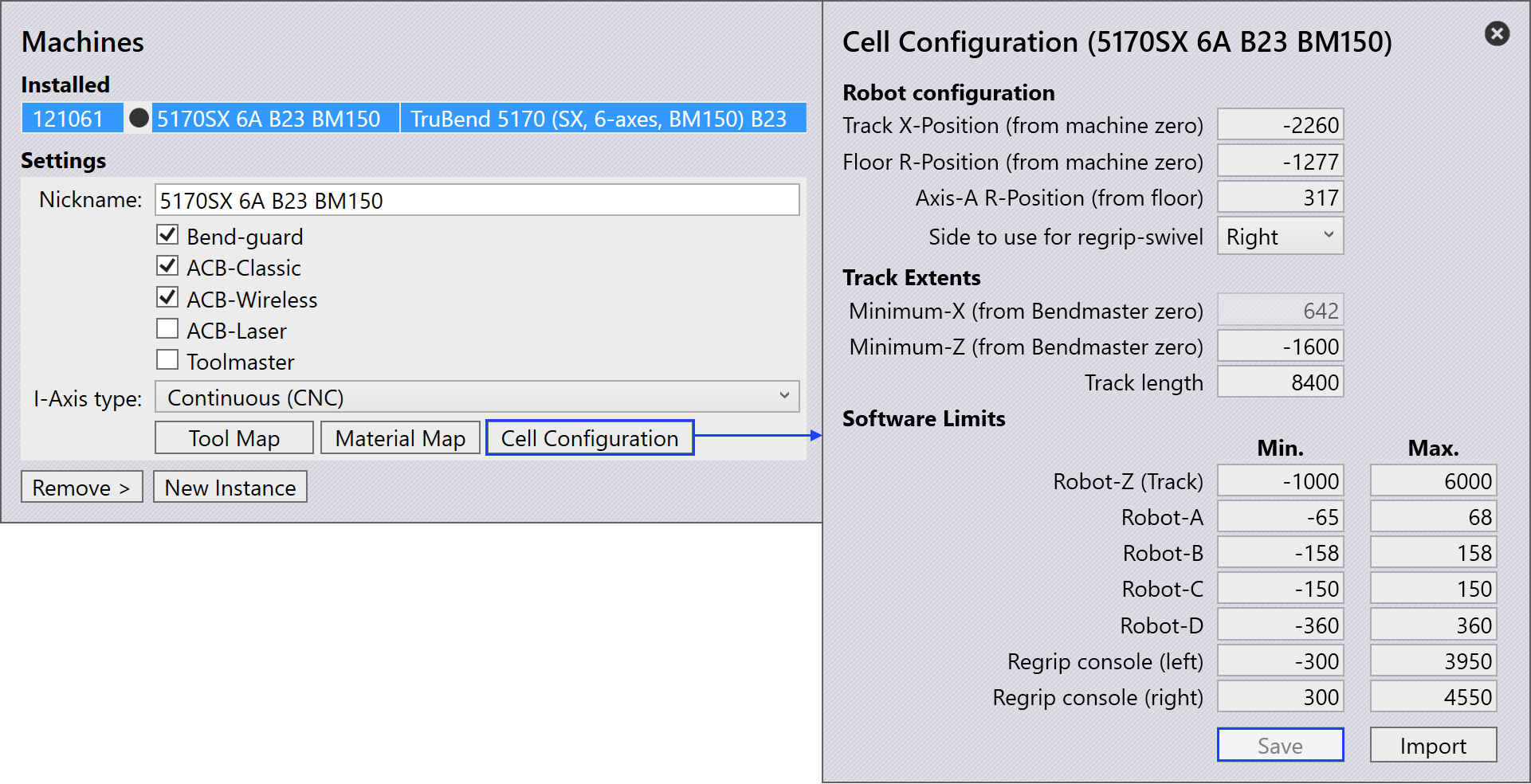
Once the bending solution is displayed, go to the installed machine and select Cell Configuration.
-
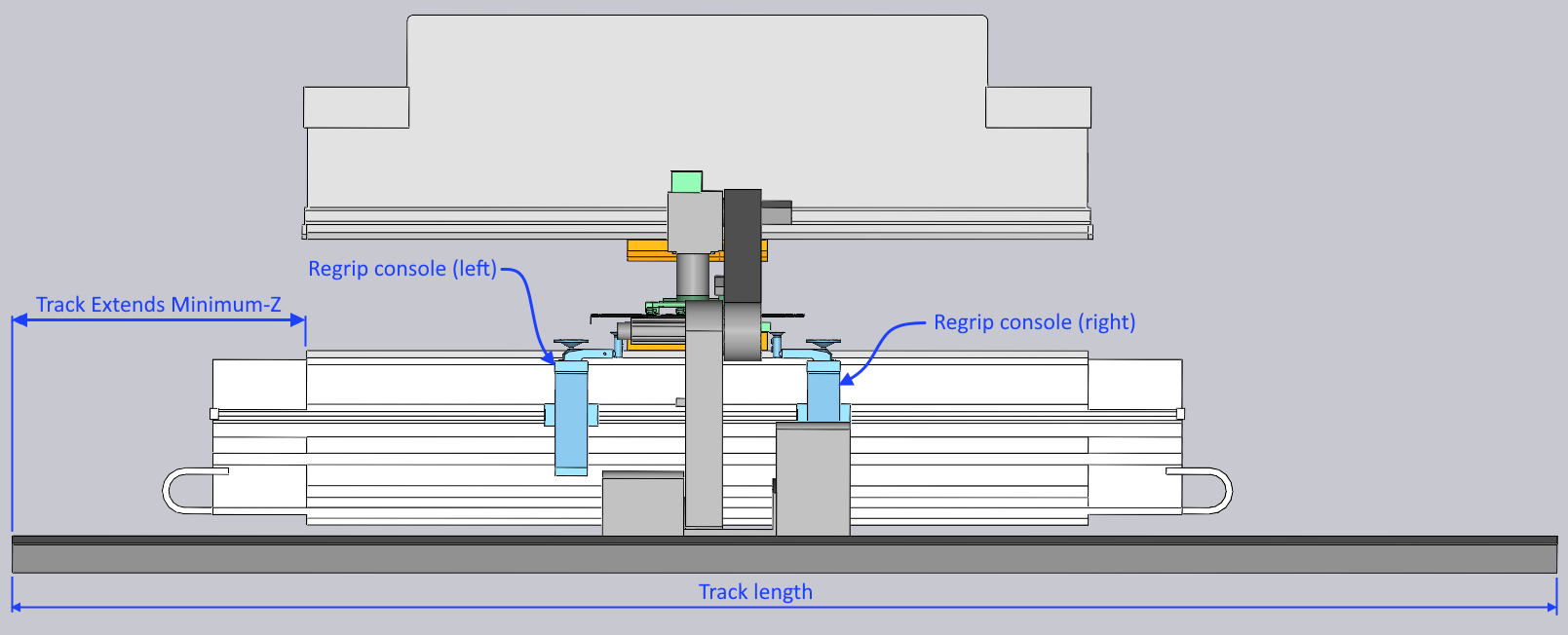
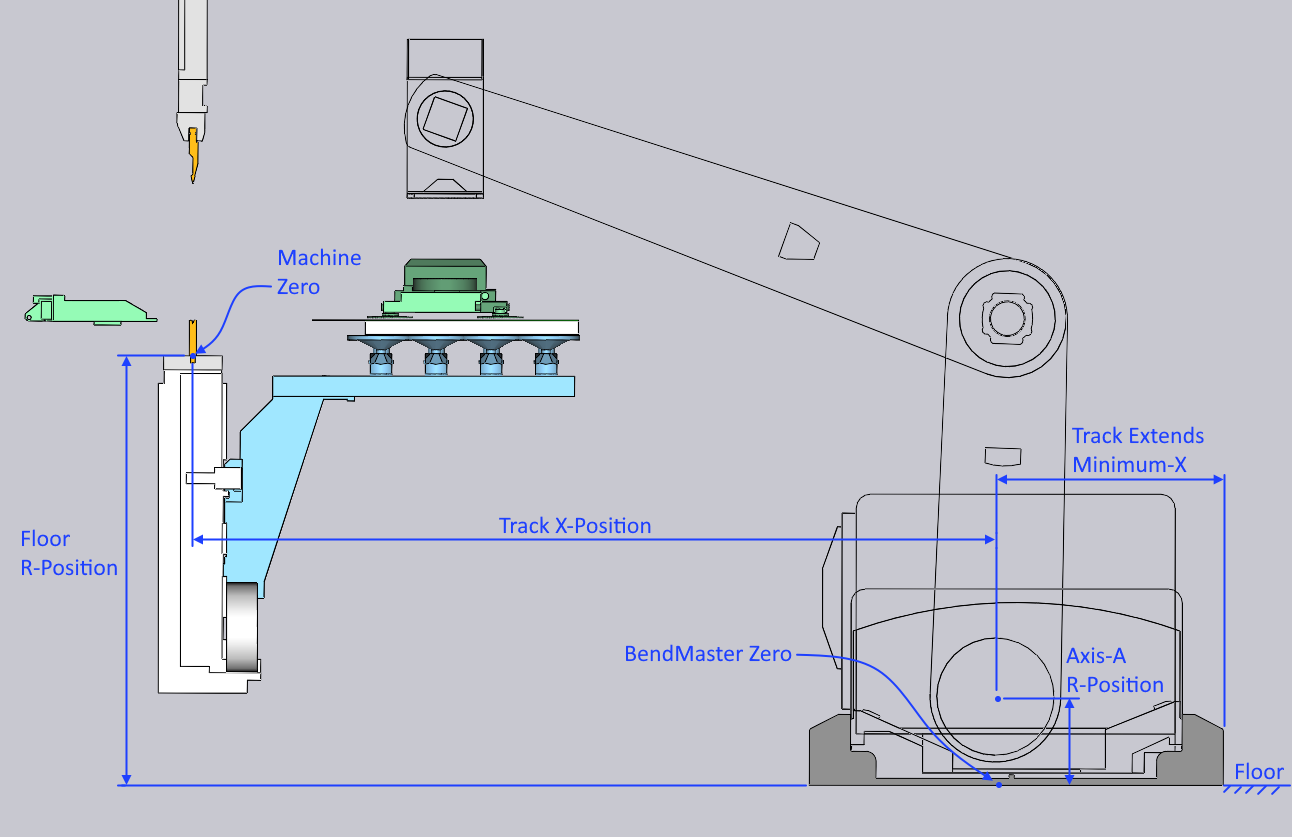
Use the values in this page to set up the track length, and also the position of the robot, relative to the bend machine (see the image below to understand these values better).
-
Save the values and restart Flux for the changes to take effect.
| Software limits of Robot-A, B, C and D are in degree of rotation. |
| Do not change these settings unless you are sure; entering the wrong values here will result in an incorrect NC program, which can cause unexpected collisions or damage! |
The following illustration explains the different measurements used in the cell configuration settings page: