
Panel bending
Geometry adaptation strategy
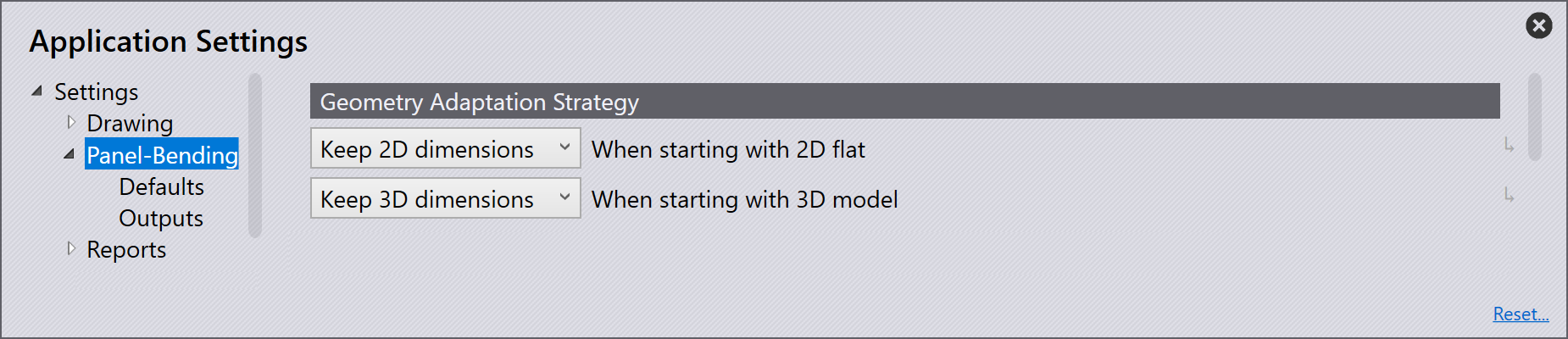
If a 2D or 3D file is edited in the software, the bend radii and the bend deduction are checked. Various processing strategies are executed depending on what strategies were selected for modifying the workpiece in the Easy Programming settings. If the decision was set to interactive, then the Adapt Geometry dialogue will be shown.
When starting with a 2D flat:
Ask each time - When navigating from a 2D part to bending, using this setting will automatically display the Adapt Geometry dialogue. This will give options of retaining the flat size, retaining the 3D dimensions or not changing anything, making this feature very interactive and user lead.
Keep 3D dimensions - This option changes the unfolding, which then must be saved manually. This strategy is used if the blank has not yet been cut.
Keep 2D dimensions - This option will mean the bend radius and the bend deduction are adjusted to the existing unfolding; the bending line remains in the same place. This will change the side length of the part. The unfolding is not changed. This strategy is used if the blank has already been cut to size.
No adjustments - Using this option will mean bend radius and bend deduction remain unchanged. The part is displayed with the correct dimensions in 3D, but the shown bend radii do not correspond to the actual bend radii. The dimension of each workpiece bend can change.
When starting with a 3D model:
Ask each time - When navigating from a 3D part to bending, using this setting will automatically display the Adapt Geometry dialogue. This will give options of retaining the flat size, retaining the 3D dimensions or not changing anything, making this feature very interactive and user lead.
Keep 3D dimensions - This option changes the unfolding, which then must be saved manually. This strategy is used if the blank has not yet been cut.
Keep 2D dimensions - This option will mean the bend radius and the bend deduction are adjusted to the existing unfolding; the bending line remains in the same place. This will change the side length of the part. This strategy is used if the blank has already been cut to size.
No adjustments - Using this option will mean bend radius and bend deduction remain unchanged. The part is displayed with the correct dimensions in 3D, but the shown bend radii do not correspond to the actual bend radii. The dimension of each workpiece bend can change.
Machine options
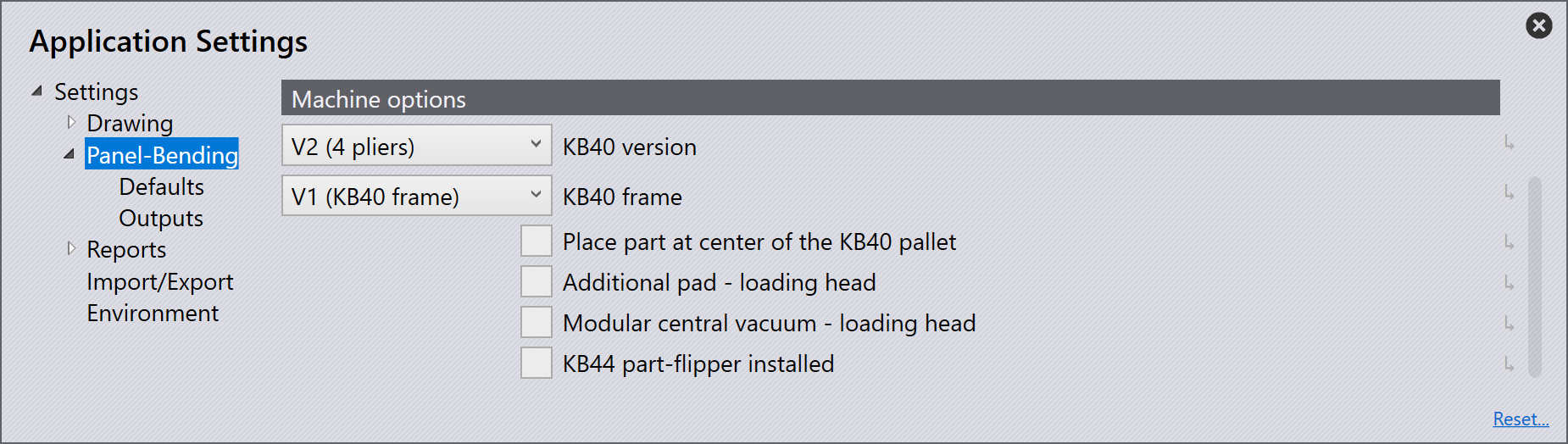
KB40 version - Enable this option if the machine has a KB40 loader installed. This will enable the functionality to create and modify the KB40 pallet.
KB40 frame - The type of the KB40 frame (STD or XL).
Place part at center of the KB40 pallet - Enable this option to place the part at the centre of the KB40 pallet.
Additional pad - loading head - Enable this option for a additional central vacuum pad.
Modular central vacuum - loading head - Enable this option for a modular central vacuum pad(vacuum can be turned on/off individually for each module).
KB44 part-flipper installed - Enable this option if a turning station (KB44) is installed.