
DetectLine
The DetectLine function is useful when you are cutting prepunched sheet metal. The laser cuts must be aligned precisely with the pre-existing sheet or part edges, or with holes. When DetectLine is enabled, a camera system measures and determines the position of inserted sheets[1].
Machine configuration
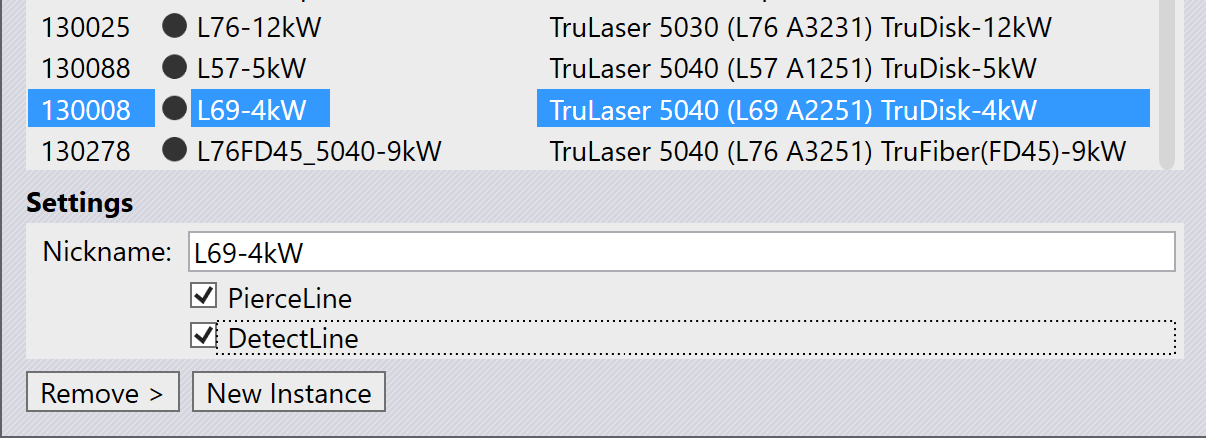
To use the DetectLine function, turn on the DetectLine switch from the machine installation panel when configuring the machine.
Using DetectLine
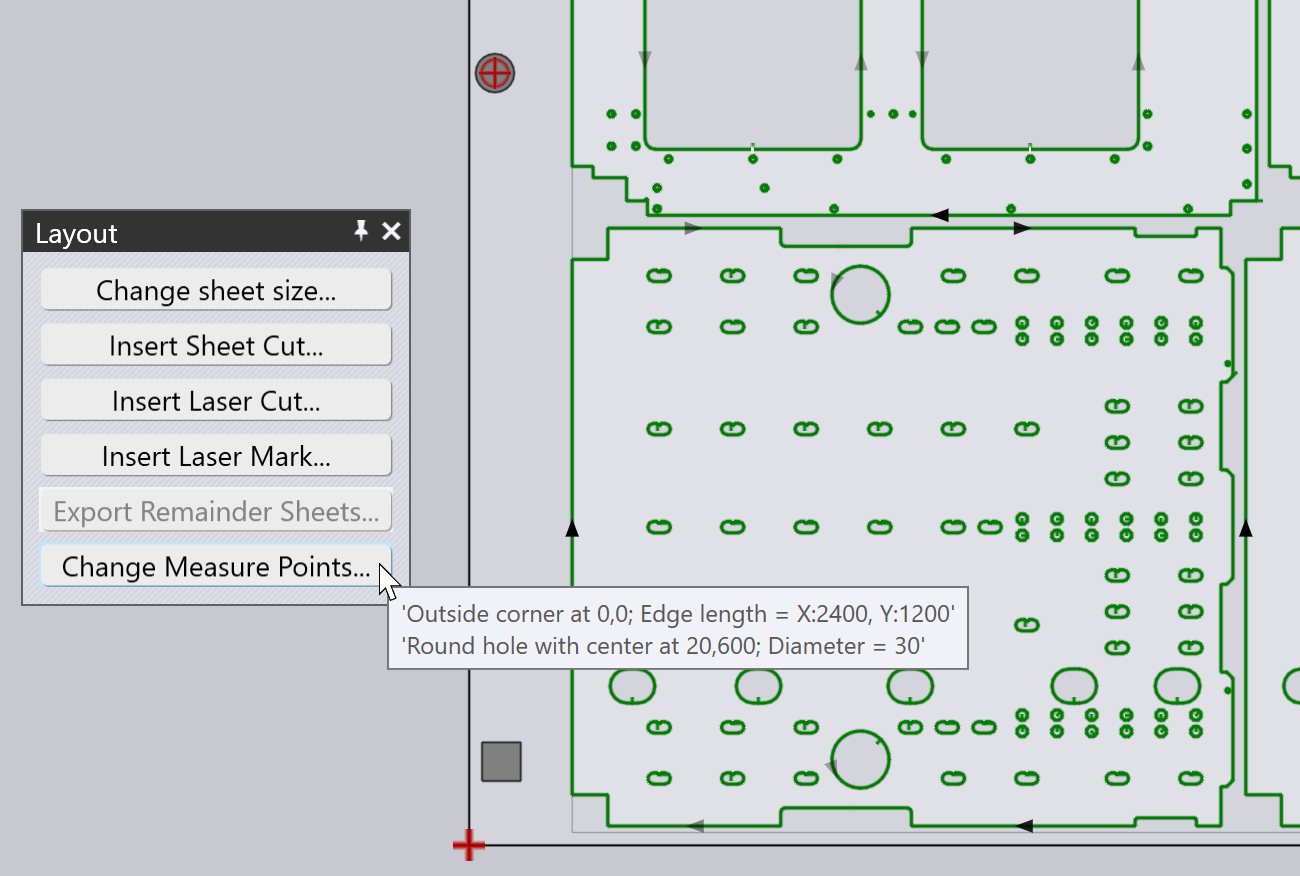
Typically, you will be using a sheet that already has some pre-punched geometry. This type of sheet will be imported from a DXF file. Let us assume we have a sheet that has two holes near the left edge. When using this sheet for a layout, you can see that Flux has already detected these pre-punched holes and has used one of the holes, and the sheet corner as measurement points.
If you bring up the Layout panel by clicking close to the boundary of the sheet, you can see the Change Measure Points button there. Pointing at the button shows some information on the currently selected measurement points, which are also indicated with red cross marks on the layout:
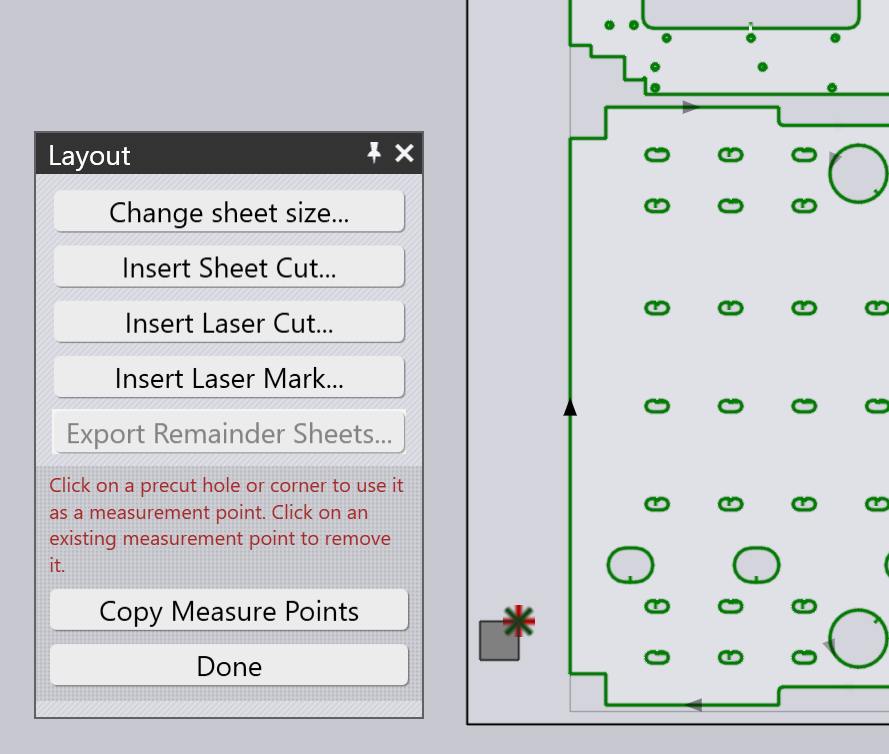
Clicking this button enables a mode where you can select features—such as the sheet corner, centers of pre-punched holes, or corners of pre-punched geometry—to set the measurement points. Only two measurement points can be selected at a time; if you add a third, the earliest selected point will be removed.
-
Valid measurement points are:
-
Corners of the sheet (only one such corner point can be used).
-
Centers of pre-cut circular holes that are less than 100 mm in diameter.
-
Right angled corners of any pre-cut polygonal holes.
-
-
The Copy Measure Points button can be used to copy the same measurement points to all the layouts that use the same sheet.
Code generation
If this function is active, Flux adds a SHEET_MEASURE table in the code,
and references it using the TC_SHEET_MEASURE command. This causes the machine
to measure the holes, edges or other features used to set up this function. The
laser cuts are then precisely aligned with the pre-existing geometry or edges of
the sheet.