Bend tools
The terms used in bend tool creation are described below:
| S.No | Term | Meaning |
|---|---|---|
1 |
Tool lists |
The tool lists to be worked with can be selected here.New tool lists can be created with the option <New…>. |
2 |
Sort |
The tools can be sorted according to specific criteria here (height, name, shape, radius, angle, die width, priority, tool management). |
3 |
Search |
Tools can be searched using the search bar. Here, for example, an alphabetic search can be made for names of tools. Additionally, more complex search requests can be made. This search request finds all tools with UT or EV in the name which also meet the following conditions: angle ≤ 30, height ≥ 140, height ≤ 220, radius = 1. |
4 |
Scale |
The size of the view of the tools can be changed with the slider. |
5 |
Actions |
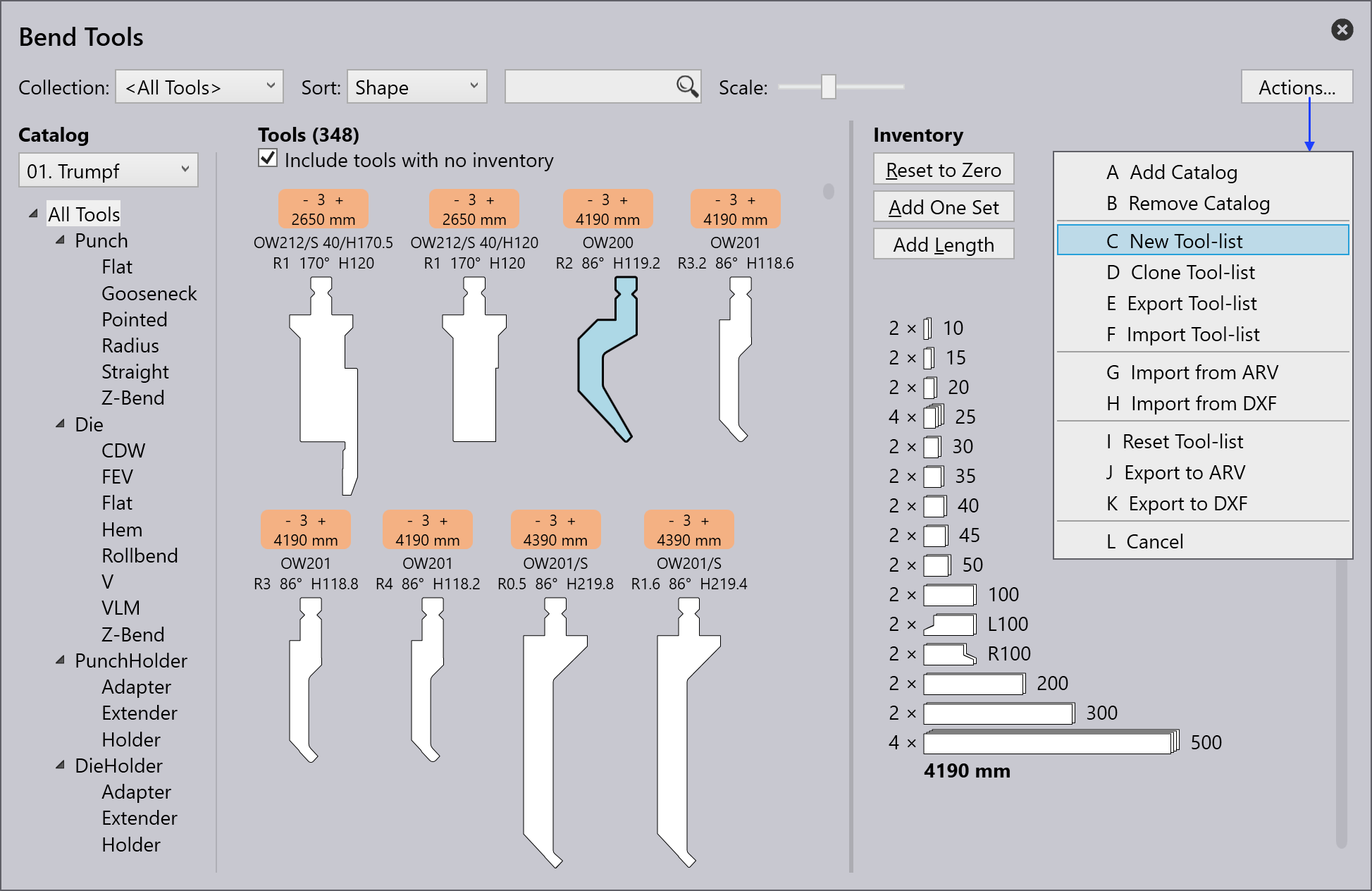
The following actions can be performed: - A Add catalogue: To add different types of machines. - B New tool list: To create a new collection of tools. - C Clone tool list: To clone the created collection of tools. - D Export tool list: The current tool list can be exported as a ".btools" file. - E Import tool list: A tool list can be imported as ".btools". - F Import from ARV: A tool can be imported from an ARV file, these tools are then custom filed in the tool catalog (this will be created if it was not available beforehand). - G Import from DXF: A tool can be imported from a DXF file. These tools are then custom filed in the tool catalog (this will be created if it was not available beforehand). - H Reset tool list: Restores the tool list to its default state. - I Cancel: Closes the Actions… window. |
6 |
Tool management |
Shows an overview of the selected tool. The following actions can be performed:
|
7 |
Tool inventory |
Displays the inventory of the selected tool. Left mouse-click to add a segment. |
8 |
Tool without inventory |
A tool without inventory is not included in the current tool list. By clicking on the empty field a standard inventory for the tool is added and the tool is incorporated into the current tool list. |
9 |
Priority |
Based on the priority given by the user,the tool is selected. 1 = High priority tool 5 = Low priority tool |
10 |
Tool display area |
In the tool display area, all tools from the selected tool list are displayed. Tools without inventory can also be displayed with the checkbox Include tools with no inventory. |
11 |
Tool filter |
Here, the tools of the current tool list are structured according to their type and shape. Selecting an element in this structure enables filtering. |
12 |
Catalog |
One of the many tool catalogs installed can be selected with this (including TRUMPF, custom, etc.). |
13 |
Filter condition |
The filter condition for the current tool list, which is automatically used by the auto-tooler. This can be used for a named tool list, but not for the special list <All tools>. It is possible to filter according to various aspects, including machine, material, sheet thickness, etc. |
Creating a tool list
-
To create a new tool, list click on the Actions… button and select New Tool-List.
-
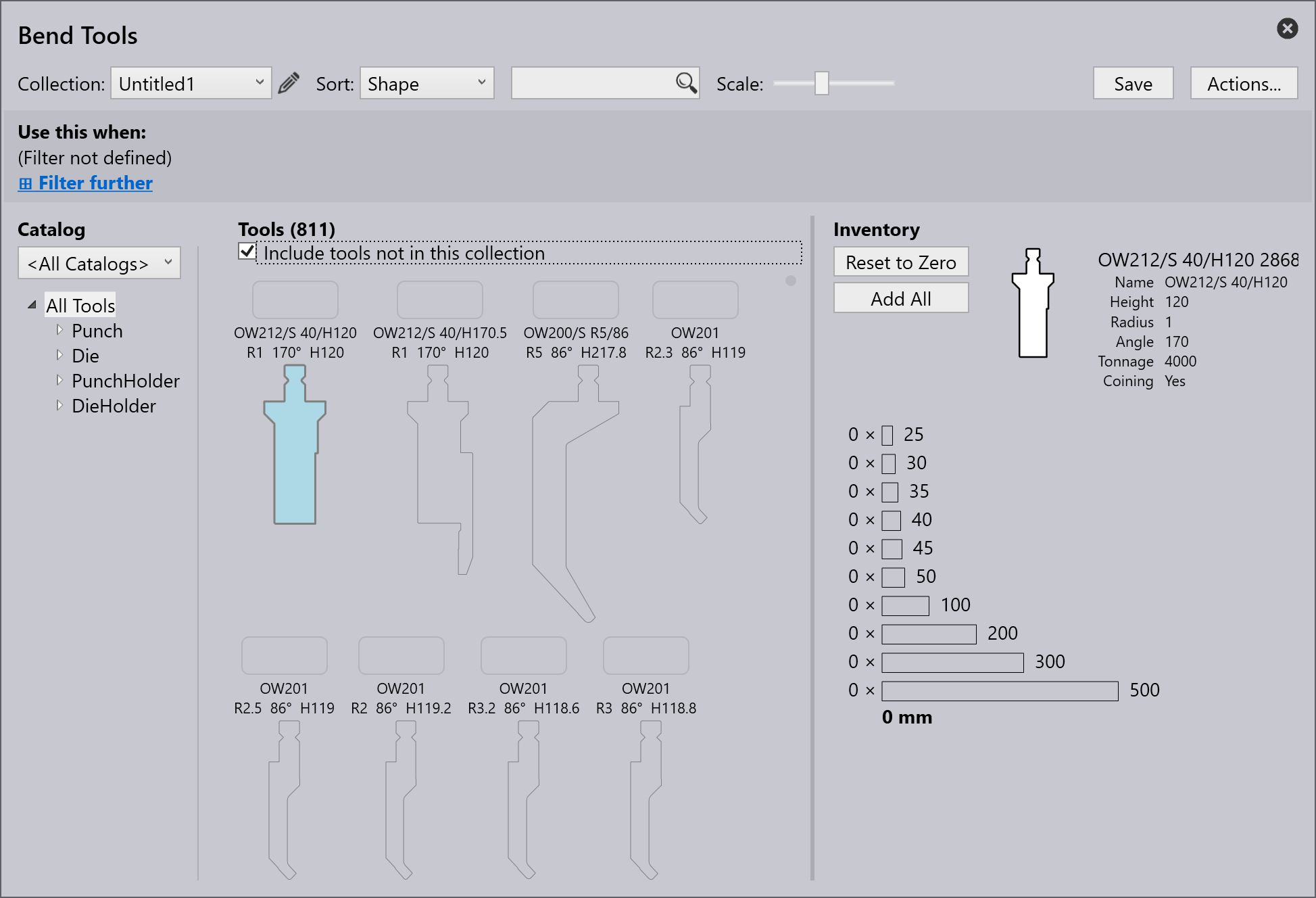
Rename the tool list by clicking on the edit icon.

-
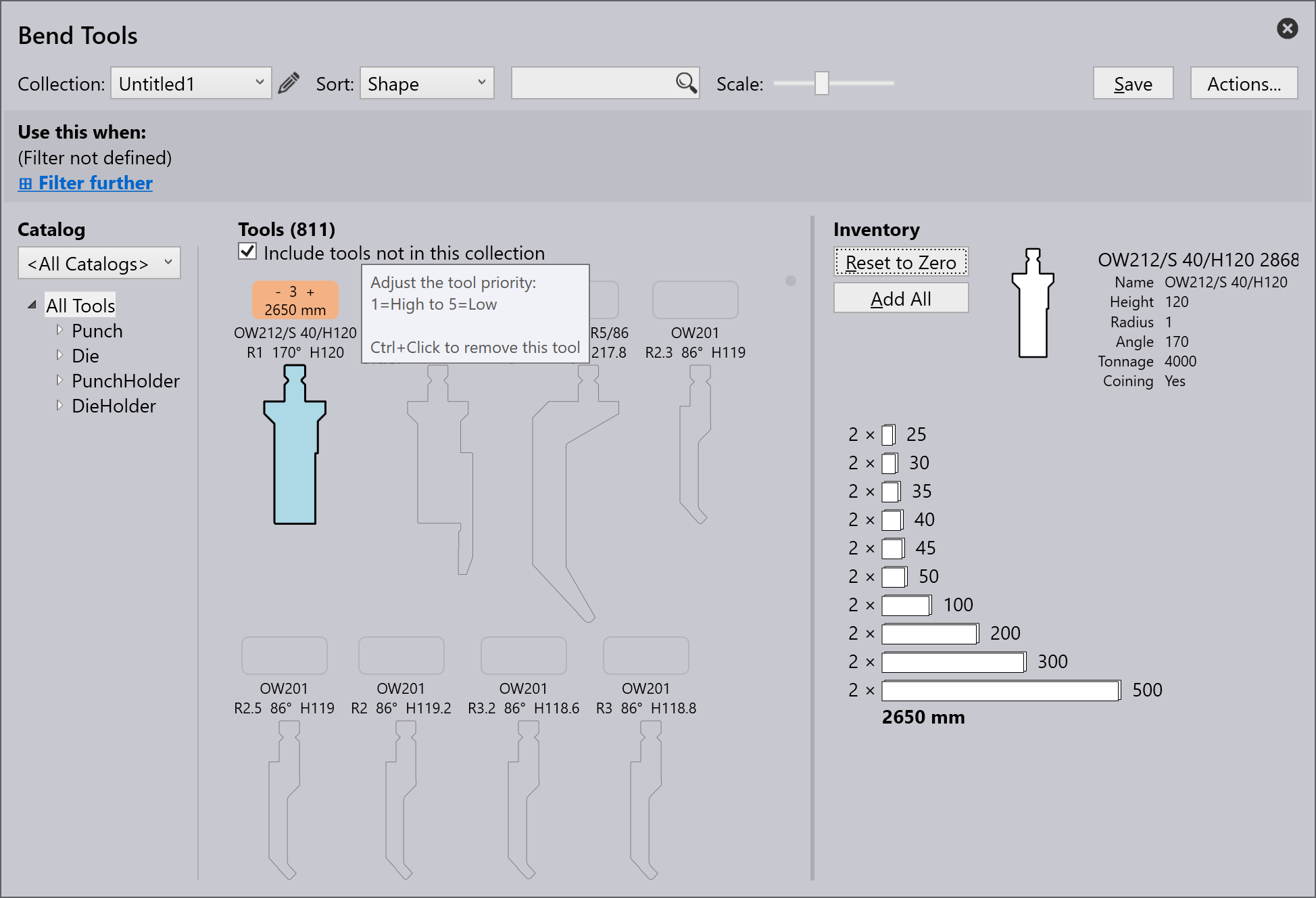
By default, the new tool list displays all tools including Punch, Die, Punch Holder and Die Holder but not added to the inventory. Make sure Include tools not in this collection checkbox is selected.
-
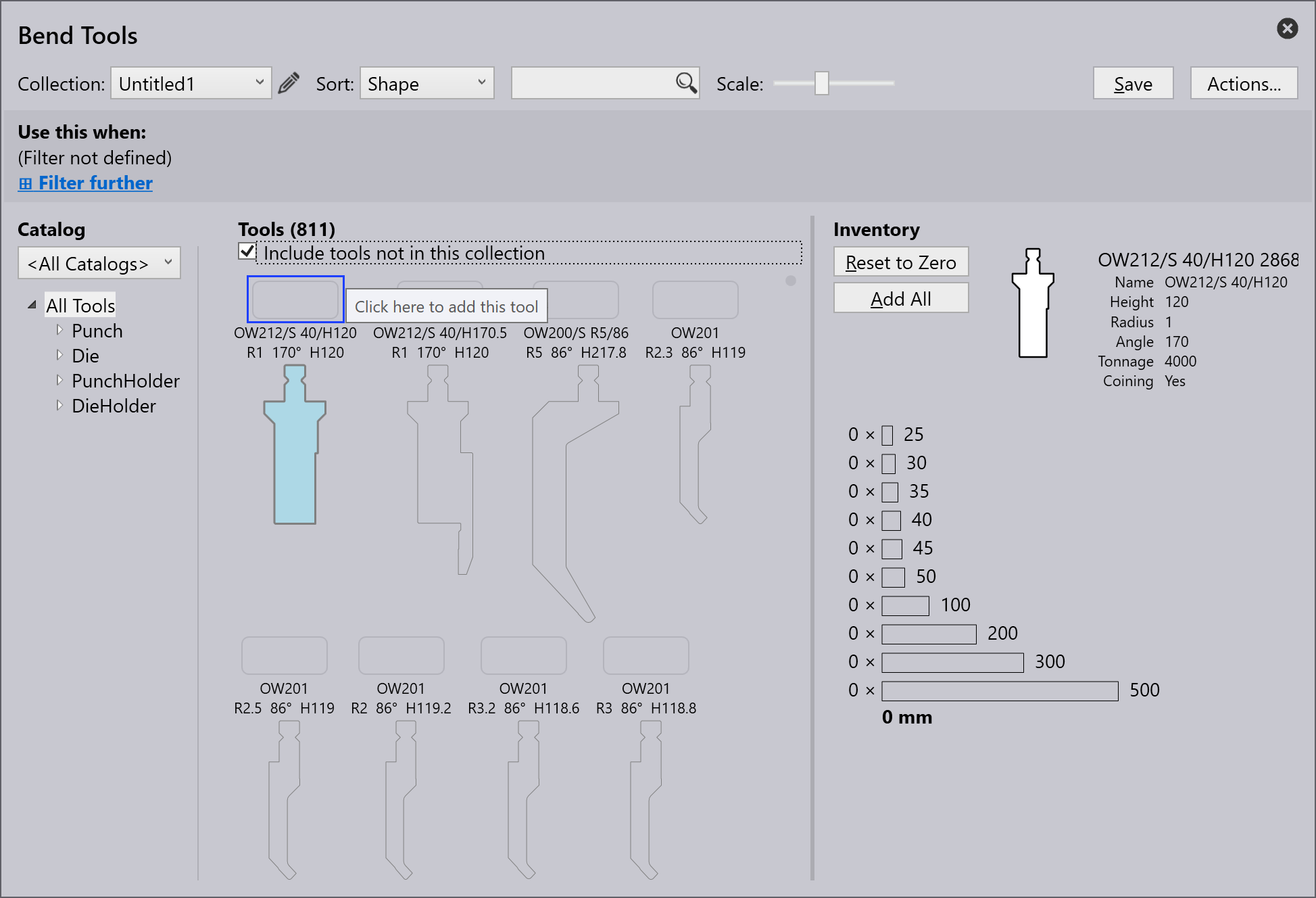
To add a tool, click on the square box above the tool name and ctrl+Enter key to remove a tool.
-
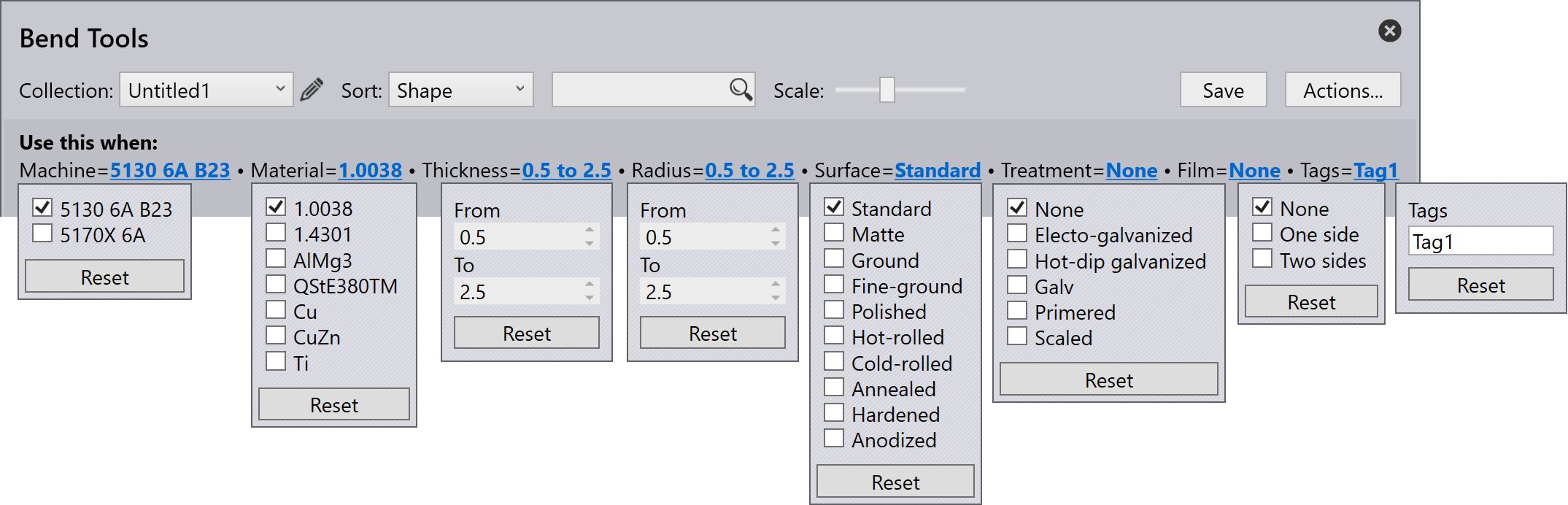
The Use this when: option allows the user to filter and set rules for a new list depending on various criteria.
-
Click Save to add this tool list to the Collection:.
Adding rule for a tool list
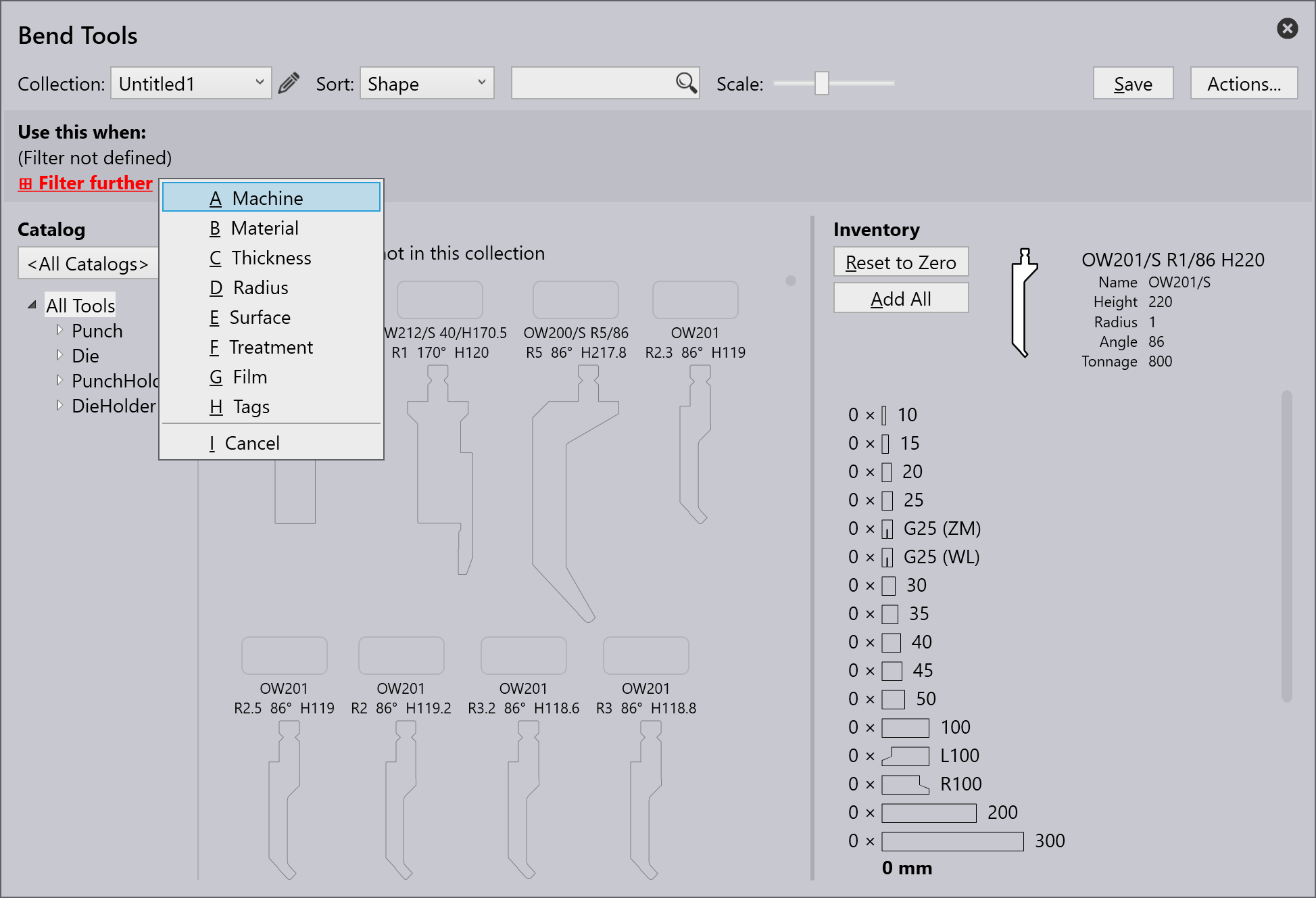
Click the Filter further option to apply a rule from different filter criteria available.
-
Machine - Refers to the machine used for bending operations.
-
Material - Denotes the type of substance being bent.
-
Thickness - Denote the thickness of the material being bent.
-
Radius - Refers to the curvature of the bend.
-
Surface - Describe the material’s outer texture or finish.
-
Treatment - Describe any pre- or post-bending processes applied to the material, such as heat treatment, coating, or galvanization.
-
Film - Refers to a protective or functional layer applied to the material.
-
Tags - Custom label assigned to categorize, filter, and organize elements for easier identification.
| Tool list must have at least one filtering criterion before it can be saved (otherwise this tool list would be used for every part). |
The image below shows an example criteria applied to create a rule:
| When multiple tool lists match a specific tooling requirement, the tool list with the most specific match will be used. |