
Edit the blank-holders
During auto tooling, Flux generates a blank holder composition such that as many bends as possible can be processed with the initial composition. Blank holders composition can also be adjusted manually to accommodate different part geometries and bending requirements.
Blank holder (BH) panel
Click on the upper blank-holder to open the BH panel. This panel allows you to edit the blank-holder properties (for a selected bend), including changing blank holder composition, using the ENW tool, changing the type of ENW tool etc.
Click the Blank-holder dropdown menu to change the blank holder type:
-
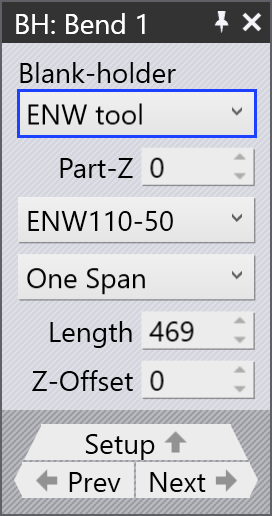
ENW tool - This option is used to select the type of ENW tool for a specific bend. The information is displayed in the bend navigator cell.
-
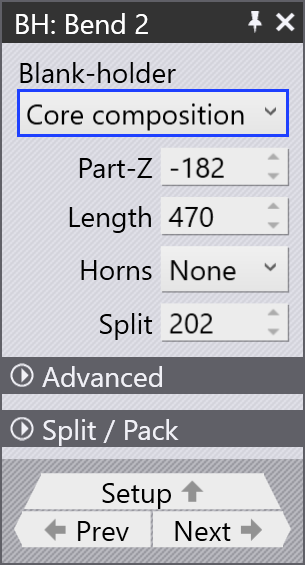
Core composition - The initial blank holder composition, which is the standard blank holder without any additional tools.
-
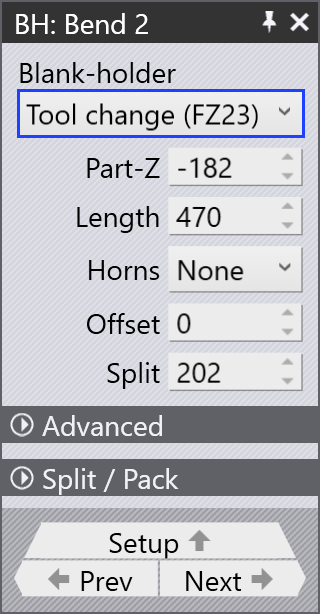
Tool Change (FZ23) - Program a new blank holder composition using the FZ23 function.
Part-Z: Use this option to move the part along the Z axis. This is useful for adjusting the part’s position in the machine along the bending line.
Length: Edit the blank holder length. Flux automatically generates a blank holder composition to match the specified length value.
Z-offset: This option is used to offset the ENW tool along the Z axis.
Horns: Select which horn pieces to include in the blank holder composition. You can choose left, right, or both horns.
Offset: This is distance between the center of the machine and center of the blank holder.
Split: The length of the gap between the right edge of the core composition and the first unused piece (grayed out) to the right of the blank holder.
Advanced
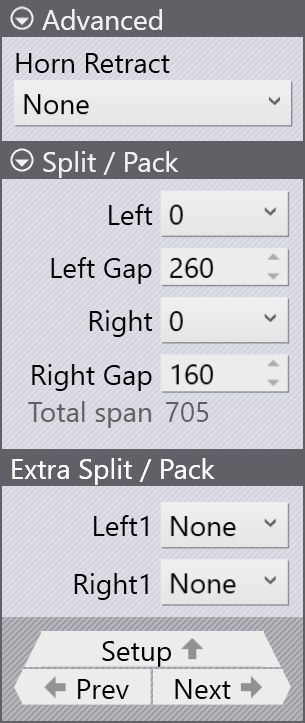
Horn Retract: Select None to disable horn retract. Horn retract can be enabled by selecting either left, right, or both horns.
Split / Pack and Extra Split / Pack
These options can be used to split and pack pieces in the blank holder composition. Split is used to create a gap between tools, while Pack is used to close a gap between tools.
The Split/Pack and Extra Split/Pack options are used to adjust the gaps between the tools.
To create a split, tools are moved outwards; to pack them, they are moved inwards.
| Only one or two split for each side of the blank holder are supported (for example it is not possible to have three split on the left and one on the right side). A maximum of four total splits is possible: two on each side. |
| The width of a standard blank holder is 160 mm and the width of a blank holder with horn is 199 mm. |
Split / Pack
Left or Right: Choose the side (left or right) for the split/pack operation.
-
Selecting 0 will activate a Split / Pack at the end of the core composition.
-
Selecting a negative value (for example -160) will add a gap in between the core composition.
-
Selecting a positive value (for example +199) will add a new piece at the end of the core composition.
Left or Right gap: Edit the amount of standard gap for the selected left/right piece of the blank holder.
Extra Split / Pack
Left1 or Right1: Choose the standard piece after which the extra gap is introduced. Usually there are eight standard pieces available excluding a horn blank holder.
Left Gap1 or Right Gap1:
Edit the amount of extra gap after the standard pieces.
|
If extra gap is enabled here, standard gap in Split / Pack cannot be edited anymore. This option is not available for the blank holder type Tool Change (FZ23). |