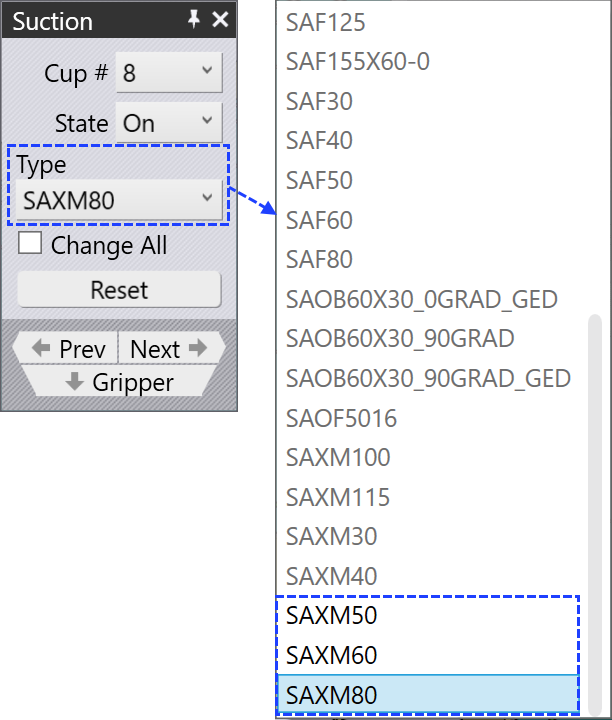
Import Suction Cup
Flux supports importing 3D suction cup models. These models are generally imported using SAT format files. To import a suction cup into Flux, follow these steps:
-
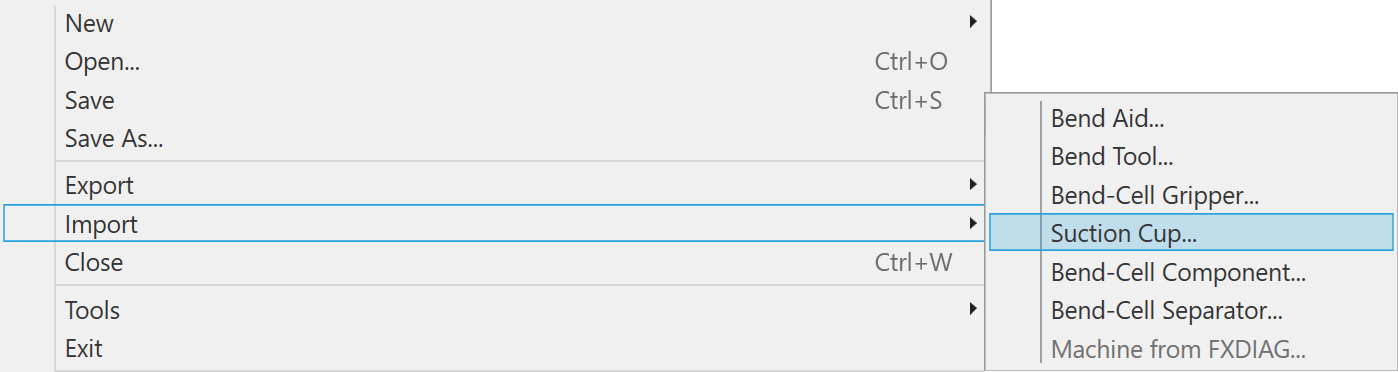
Navigate to File / Import / Suction cup. This opens a file selection dialog that allows you to browse and select the suction cup model to import.
-
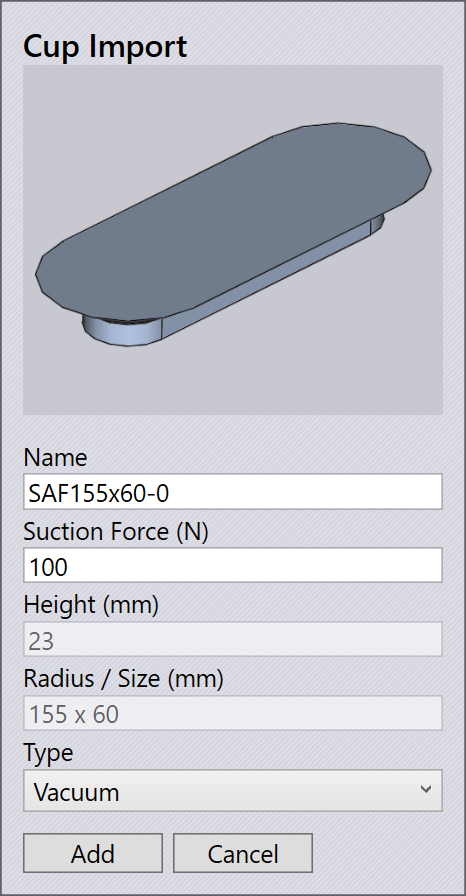
Select the required SAT file and click Open. The Cup Import dialog appears, displaying the properties of the selected suction cup. Click Add to include the suction cup in the available suction cup list.
-
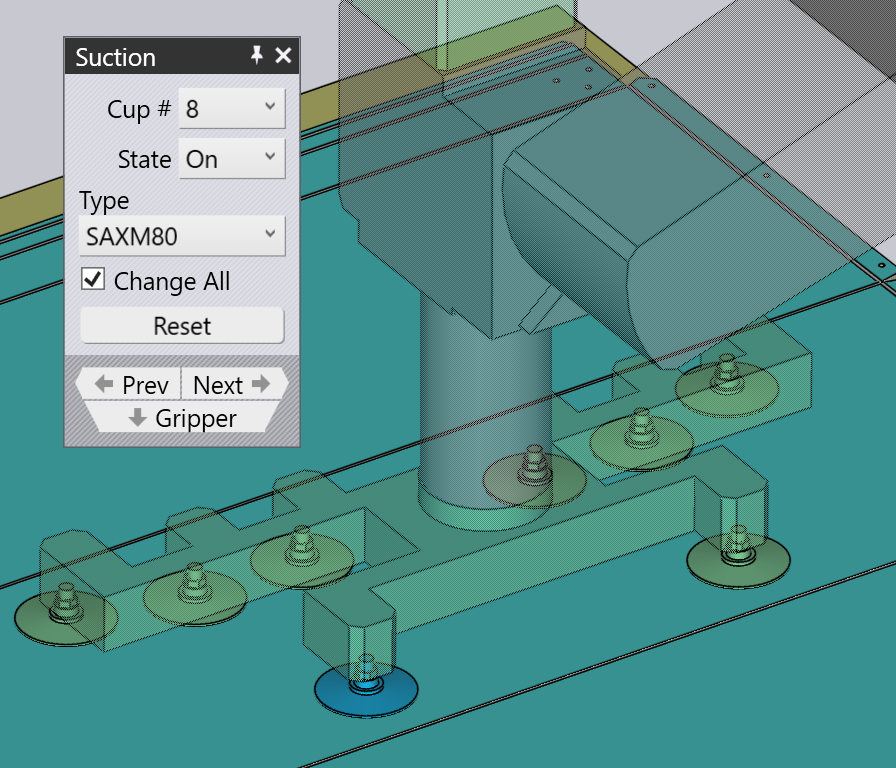
After importing, click on a suction cup in the gripper. The Suction panel opens.
-
In the Type field, choose the imported suction cup from the list of available suction cups.
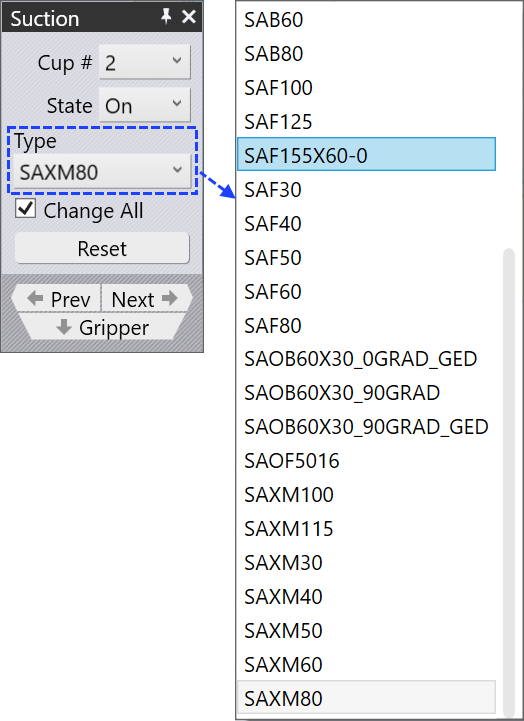
-
Once selected, the suction cups in the gripper get updated accordingly.
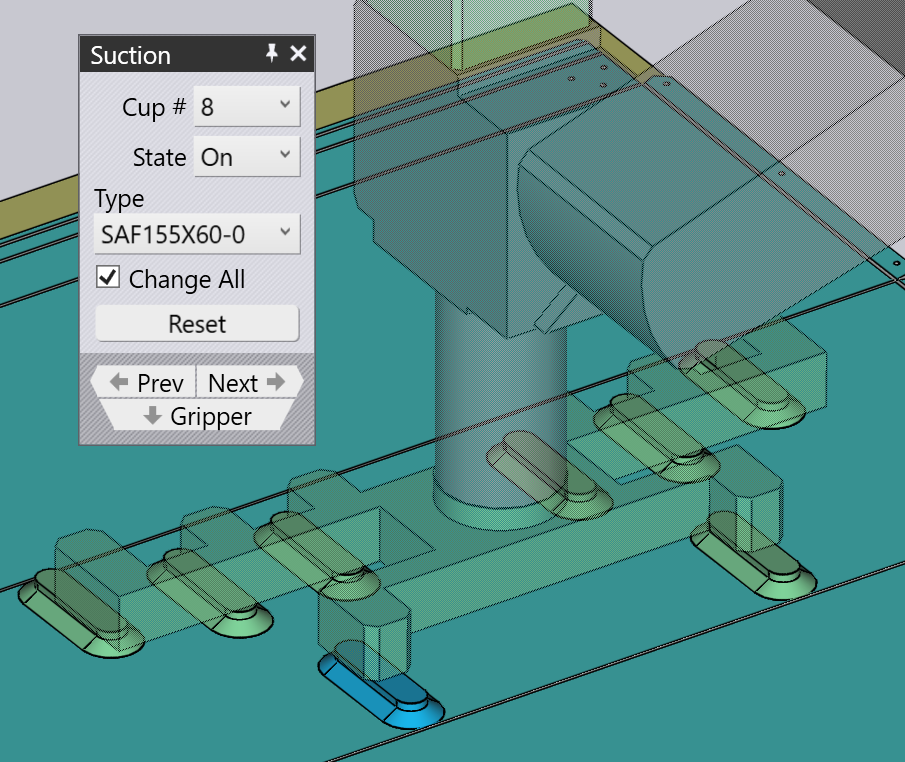
Additional Information
-
The Change All option updates all suction cups of the same type within the current gripper.
-
To update only the selected suction cup, clear the Change All checkbox.
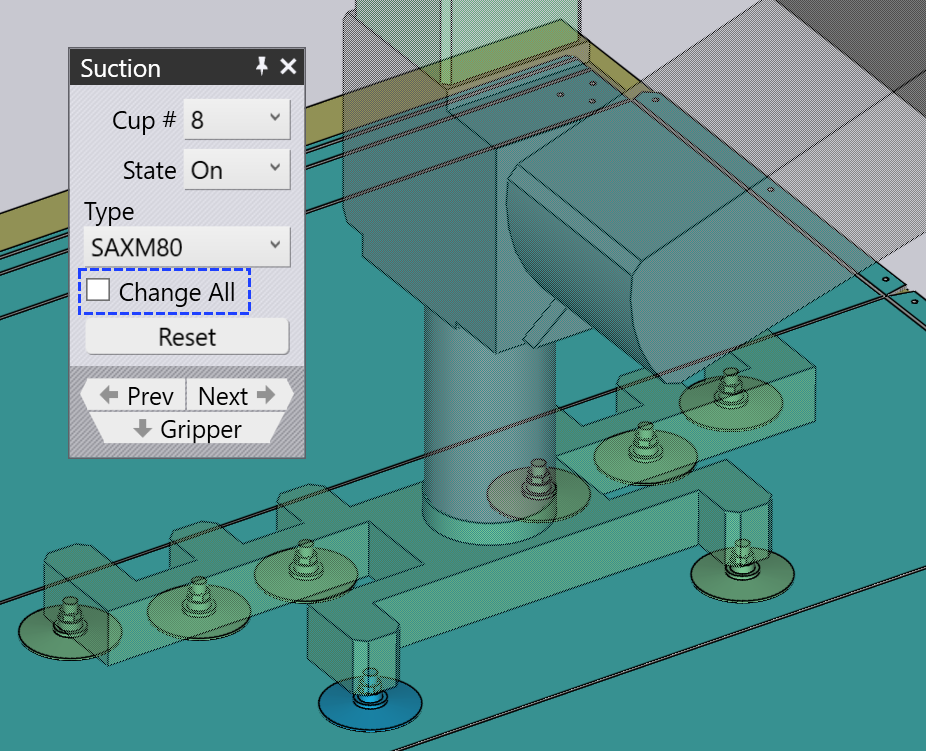
-
When Change All is unchecked, the Type field enables only those suction cup types that are compatible with the remaining suction cups in the gripper.