
Flux Reference Manual

  • Welcome to Flux
  • Introduction
    • Installing the software
    • The user interface
    • Part workflow
  • CAD
    • 2-D Import
      • 2-D Cleanup
    • 3-D Import
      • Import 3D Model
      • Import assembly
      • Form detection
      • Component detection
    • Modifying the geometry
    • Attachments
  • Cut CAM
    • Part workflow
      • Editing panels
        • Laser cut
          • Approach
          • Withdrawal
          • Microjoint
          • Advanced
        • Contour
        • Scrap cut
        • Part
        • Corner treatment
      • Quick-Nest
    • Job workflow
      • Job panel
        • Sheets tab
        • Parts tab
        • Layouts tab
        • Summary tab
      • Edit layout
        • Nesting modes
        • Placement panel
        • Sequencing
        • Slice sheet
    • Bevel cut
      • Open contours
      • Variable bevel
      • Miscellaneous
    • Advanced
      • Finishing rules
      • Edit LTT
      • FlyLine
      • TwinLine
        • Strategy
        • Microjoints
        • Further settings
      • DetectLine
  • Bend CAM
    • Create bend data
    • Bend navigator
    • Edit bend data
      • Edit a bend
      • Edit a tool mount
      • Edit a bend setup
      • Edit the back-gauges
      • Edit angle measurement
      • Bends spreadsheet
      • Changing the sequence
      • Adding setups and stations
    • Advanced
      • Angle measurement
      • Batch process
      • Recompute solution
      • Tonnage check
    • Bending Aids
  • BendMaster CAM
    • Bend navigator
    • Part pickup
      • Pickup from pallet
      • Pickup from dispenser
    • Robotic bending
      • Insertion
      • Bending
      • Extraction
    • Regripping
      • Regrip panel
      • Add regrip
      • Edit regrip
      • Regrip with jaw
      • RG-Stations panel
    • Part deposit
      • Deposit pattern types
      • Deposit tabs
      • Add separator sheets
      • Lock part-rest
    • Advanced
      • Waypoints
      • Cell configuration
      • Custom Cell Components
      • Gripper database
        • Create a gripper
        • Import gripper from DXF
        • Import Suction Cup
  • Flex Cell CAM
    • Bend navigator
    • Part pickup
      • Pickup from pallet
      • Centering table
    • Robotic bending
      • Strategy panel
    • Regripping
      • Regrip panel
      • Add/Remove regrip
      • Gripper Panel
      • Double Sheet Station
    • Part deposit
      • Deposit Tabs
    • Advanced
      • Waypoints
    • Troubleshooting
  • Fold CAM
    • Create fold data
    • The Fold view
    • Editing Fold data
      • Edit a bend
      • Edit a side/section
      • Change the sequence
      • Edit the blank-holders
      • Edit the gauging
      • Edit the blades
      • Edit the loading
      • Edit the unloading
    • Tool inventory
    • Advanced
      • Custom air-gap tables
      • Manual bend completion
      • Required flange length
  • Settings
    • Drawing
      • Layers
      • Dimensions
      • View
    • Bend CAM
      • Machine defaults
      • Bend outputs
      • Bend view
      • Bend cell
    • Cut settings
      • Cut CAM
      • Layout
        • Nest settings
        • Sheet
        • Sheet handling
        • Skeleton cuts
        • Work support
      • Laser CAM
        • Sequence
      • Cut outputs
      • Cut view
    • Panel bending
      • Defaults
      • ZBW carriers
      • Outputs
    • Reports
      • Item defaults
    • Import/Export
    • Environment
  • Database
    • Materials
    • Machines
    • Bend tools
    • Bend deductions
    • Bend grippers
    • Forms and Components
  • Reports
    • Report designer
    • Fields, pictures and tables
    • Bands (sub-reports)
    • Labels, bitmaps and shapes
  • Appendix
    • Supported 3D formats
    • Separator sheet DXF
    • Bend tool DXF
    • The Adapt Geometry feature
Flex Cell CAM

Flex Cell CAM

  • A Flex Cell is a robotic bending cell that includes a press brake, a robot, and automated material handling equipment such as pallets, grippers, and conveyors.

  • Flex Cell CAM is offline software that includes a robotic bending CAM system capable of creating bending solutions for Flex Cell.

  • Flex Cell CAM automates the programming of the robot to pick up blanks from input pallets, load them into the press brake for bending, and deposit the finished parts on output pallets.
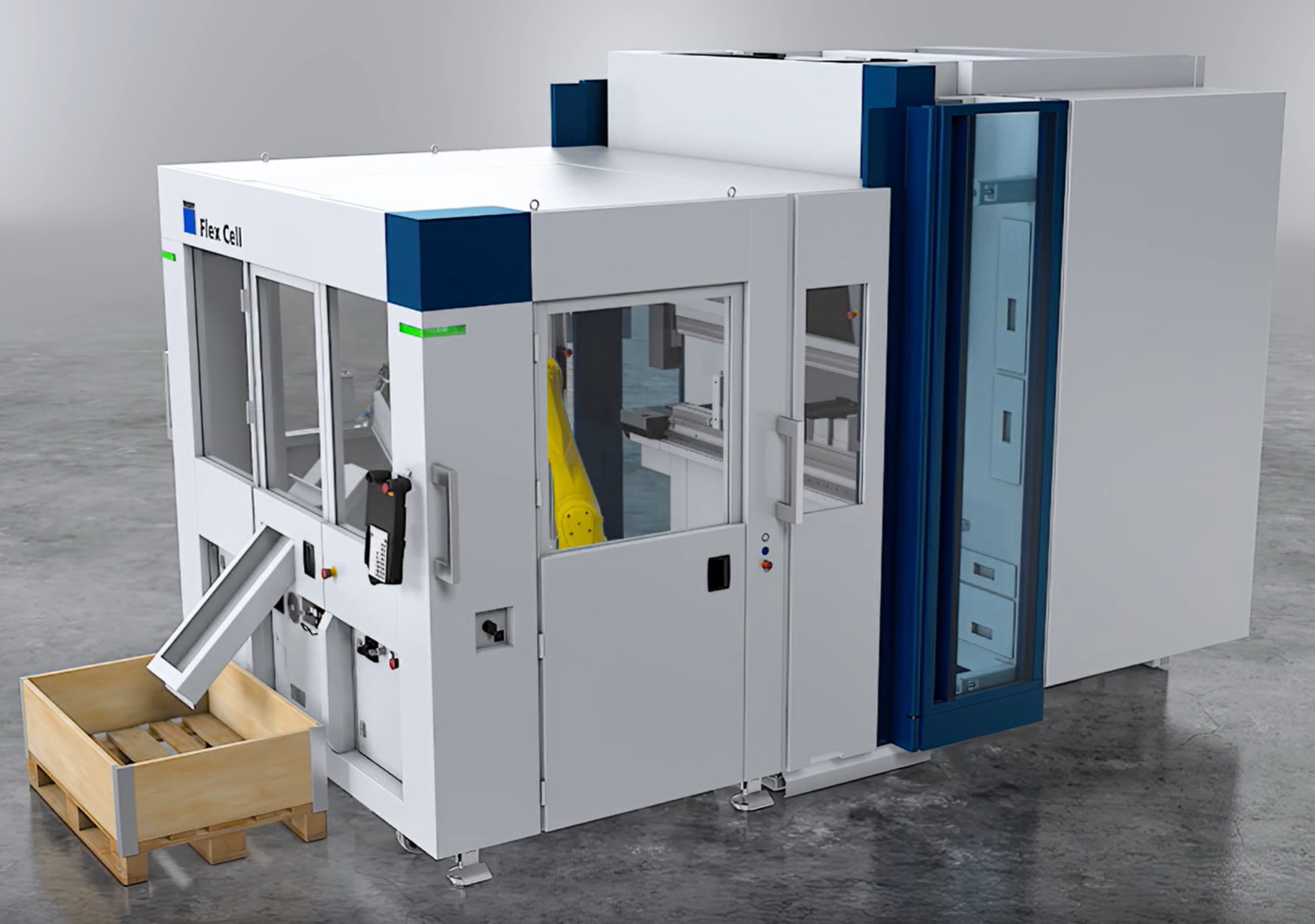
FlexCell

Flex Cell CAM includes the following specific operations when computing a solution:

  • Select a suitable gripper to use, based on the part geometry and size.

  • Compute a good gripper position where the gripper can hold the part.

  • Compute a pickup strategy (selecting a pallet, placing the part on the pallet).

  • Compute a bending trajectory with suitable strategies for part insertion, holding the part during bending and part extraction after bending.

  • Compute a deposit strategy (selecting a deposit pallet, arranging part in stacks on the pallet).

  • Figuring out if any regripping operations are required between bends, or before deposit, and inserting them as needed.

Flex Cell CAM simulation

Computing a Flex Cell CAM solution follows the same steps as computing a solution for a manual press brake. Open a part, and press the B to compute the solution.
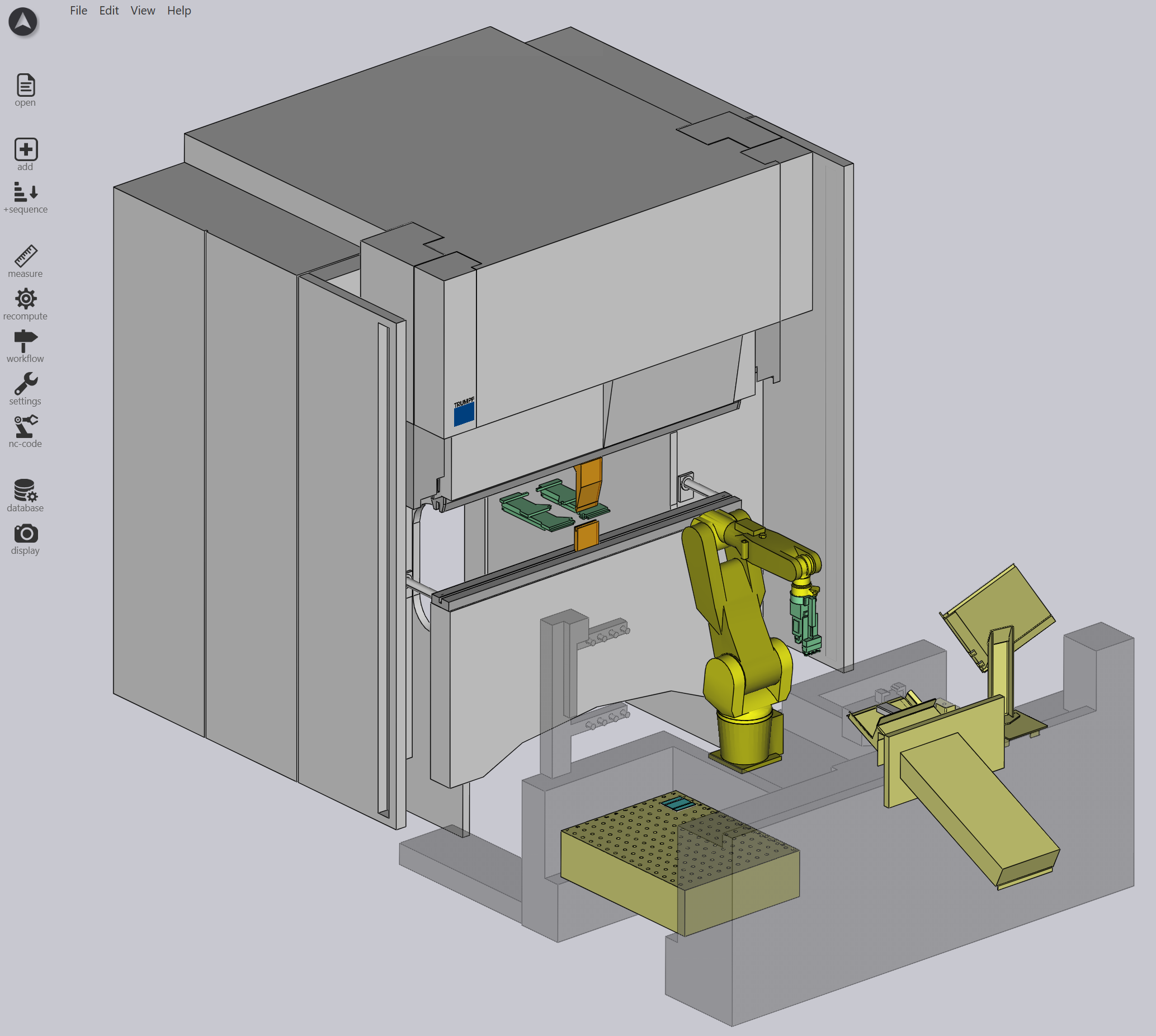
Simulation

The solution computed by Flex Cell CAM includes a complete simulation of all the robot trajectory from picking up the blank all the way to depositing the finished part on the output pallet. Every step of this trajectory is also collision-checked, and validated for reachability by the robot.

As you edit the solution, these checks are done immediately in real time, so you never have to request for a collision check to take place - it happens instantly every time you edit the solution, and the results are updated in the navigator grid on the top.

Contents

  • Flex Cell CAM simulation
Import Suction Cup Bend navigator

      Copyright © 2026 TRUMPF Metamation. All rights reserved.

    Compiled by Bento