
BendMaster CAM
Flux includes a robotic bending CAM system that can create bending solutions for BendMaster™ bending cells. This capability builds on top of the Bend CAM capabilities built into Flux for programming manual press brakes, so it is useful to read Bend CAM section before going further.
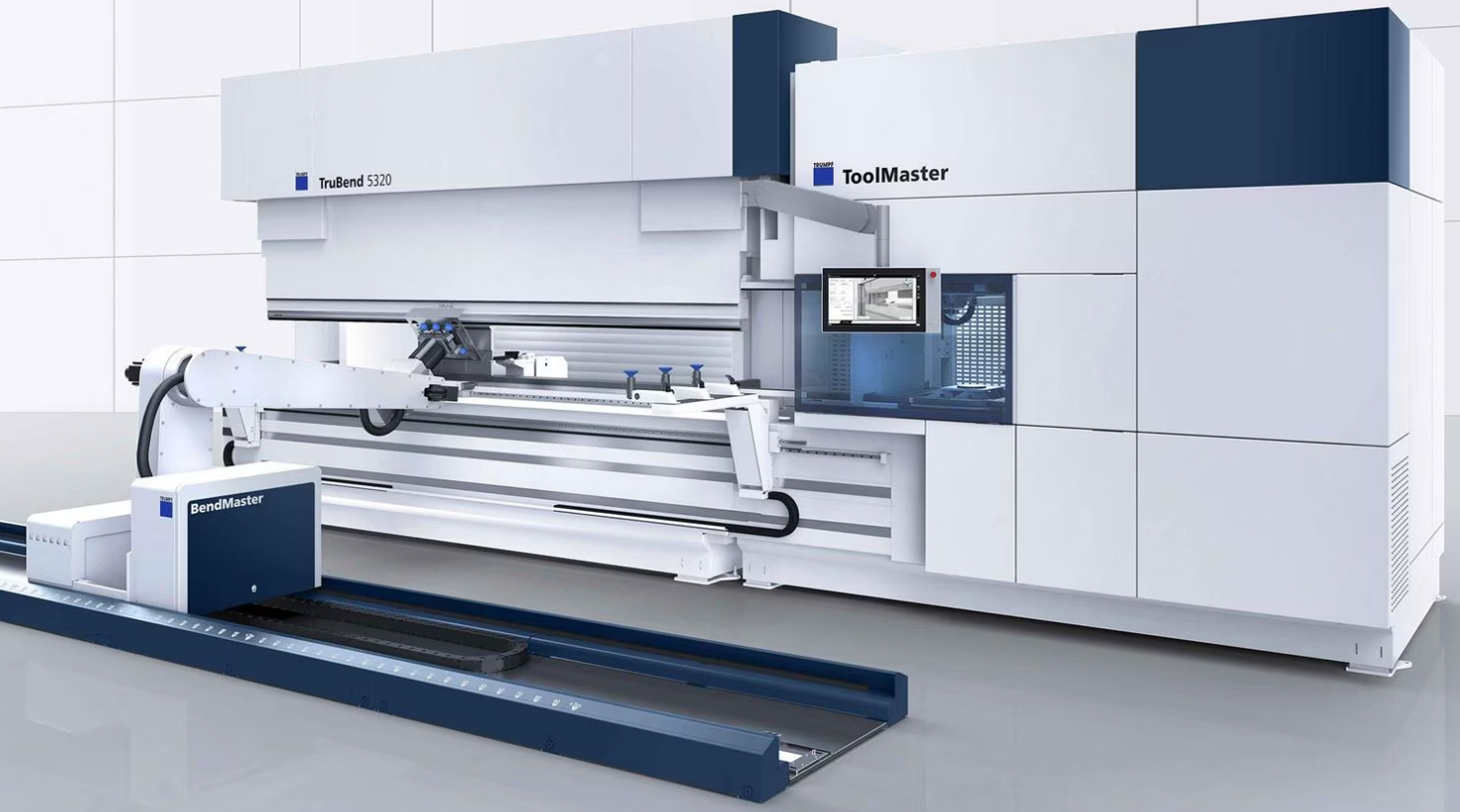
In addition to the functionality offered for manual press brakes, Flux also includes the following BendMaster-specific operations when computing a solution:
-
Select a suitable gripper to use, based on the part geometry and size.
-
Compute a good gripper position where the gripper can hold the part.
-
Compute a pickup strategy (selecting a pallet, placing the part on the pallet).
-
Compute a bending trajectory with suitable strategies for part insertion, holding the part during bending and part extraction after bending.
-
Compute a deposit strategy (selecting a deposit pallet, arranging part in stacks on the pallet).
-
Figuring out if any regripping operations are required between bends, or before deposit, and inserting them as needed.
BendMaster simulation
Computing a BendMaster solution follows the same steps as computing a solution for a manual press brake: Open a part, and press the B to compute the solution[1].
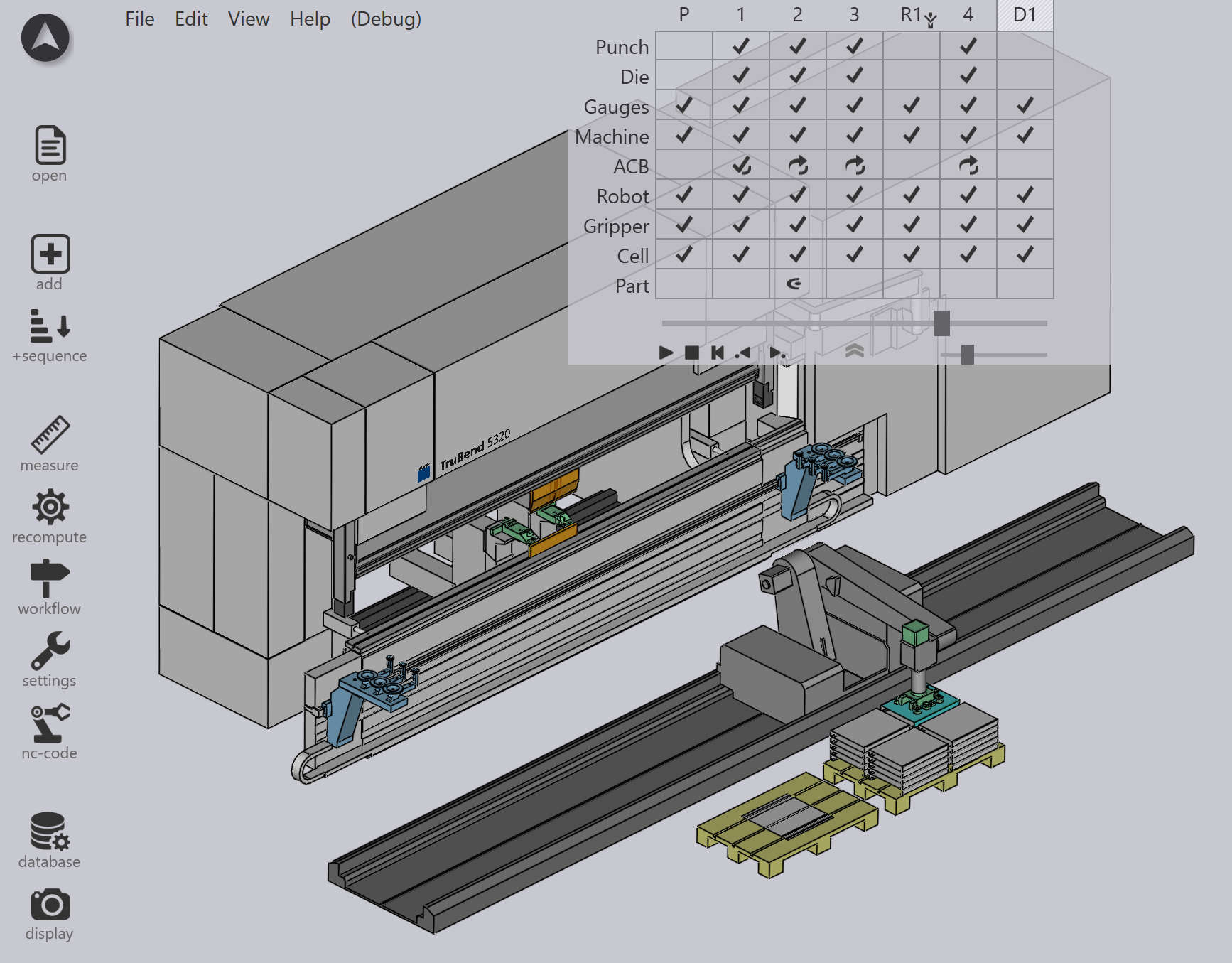
Once a solution is computed, a full representation of the BendMaster solution is displayed. In addition to the standard press brake components, the following are also visible and directly editable just by clicking on them:
-
BendMaster Robot
-
Vacuum Gripper / Mechanical Gripper
-
Pickup Pallet
-
Deposit Pallet
-
Regrip Stations
The solution that is computed includes a complete BendMaster simulation of all the robot trajectory from picking up the blank all the way to depositing the finished part on the output pallet. Every step of this trajectory is also collision-checked, and validated for reachability by the robot.
As you edit the solution, these checks are done immediately in real time, so you never have to request for a collision check to take place - it happens instantly every time you edit the solution, and the results are updated in the navigator grid on the top.